
The PDP, but with a product you can actually hold.
Interactive 3D & AR replaces the gallery of static pack shots with a product twin you can rotate, zoom and configure: on PDPs, brand landing pages, marketplace listings and paid-media destinations. One line of HTML on the retailer side. No app for the consumer.
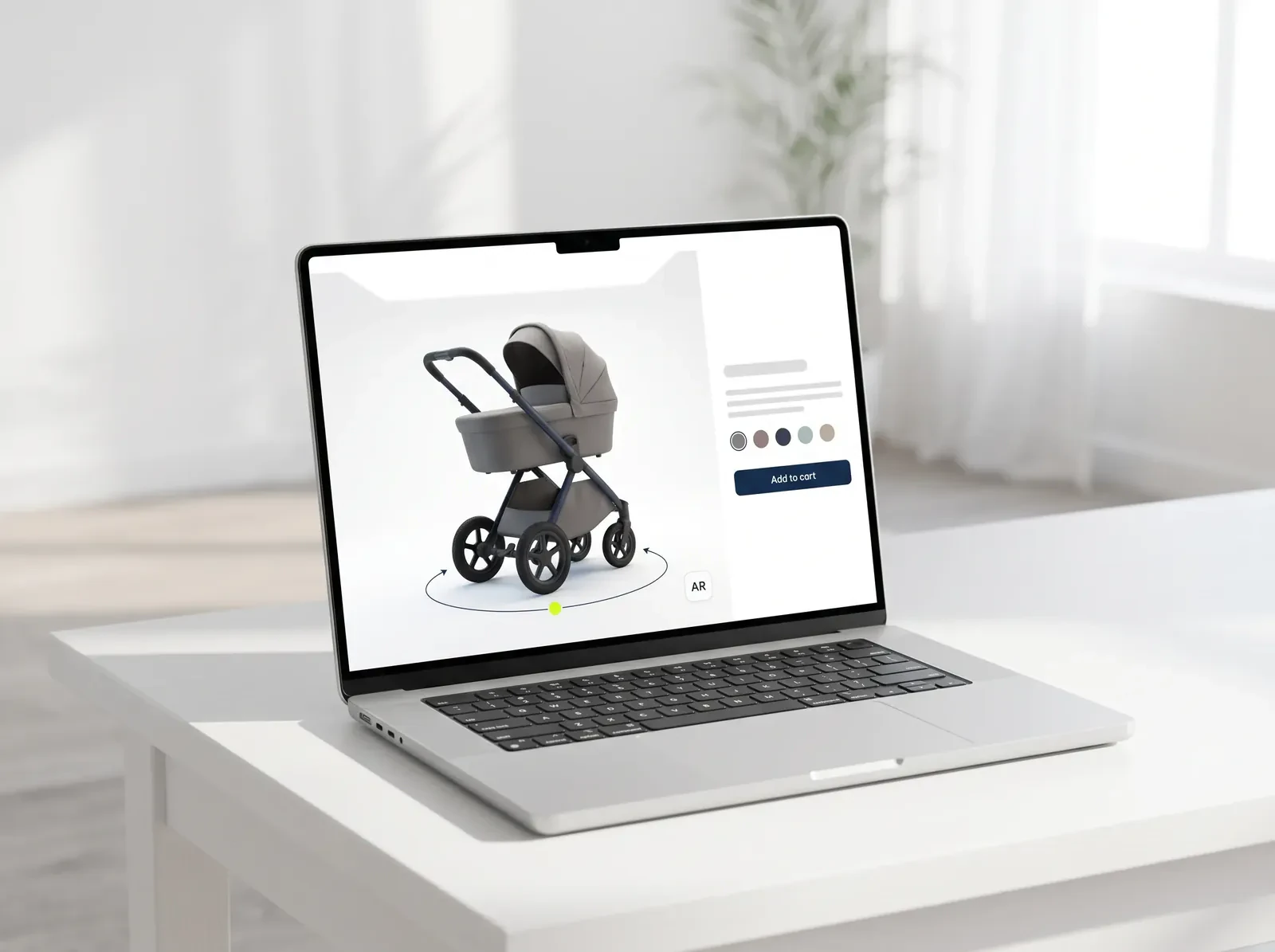
Traditional PDPs look the same as ten years ago.
ARkid Catalogue replaces the gallery with an interactive product twin: the same PDP, now rotatable, zoomable, configurable and placeable in the customer’s living room in AR.
The product page stops being a place where pictures live and starts being a place where understanding happens. One digital twin, every channel.
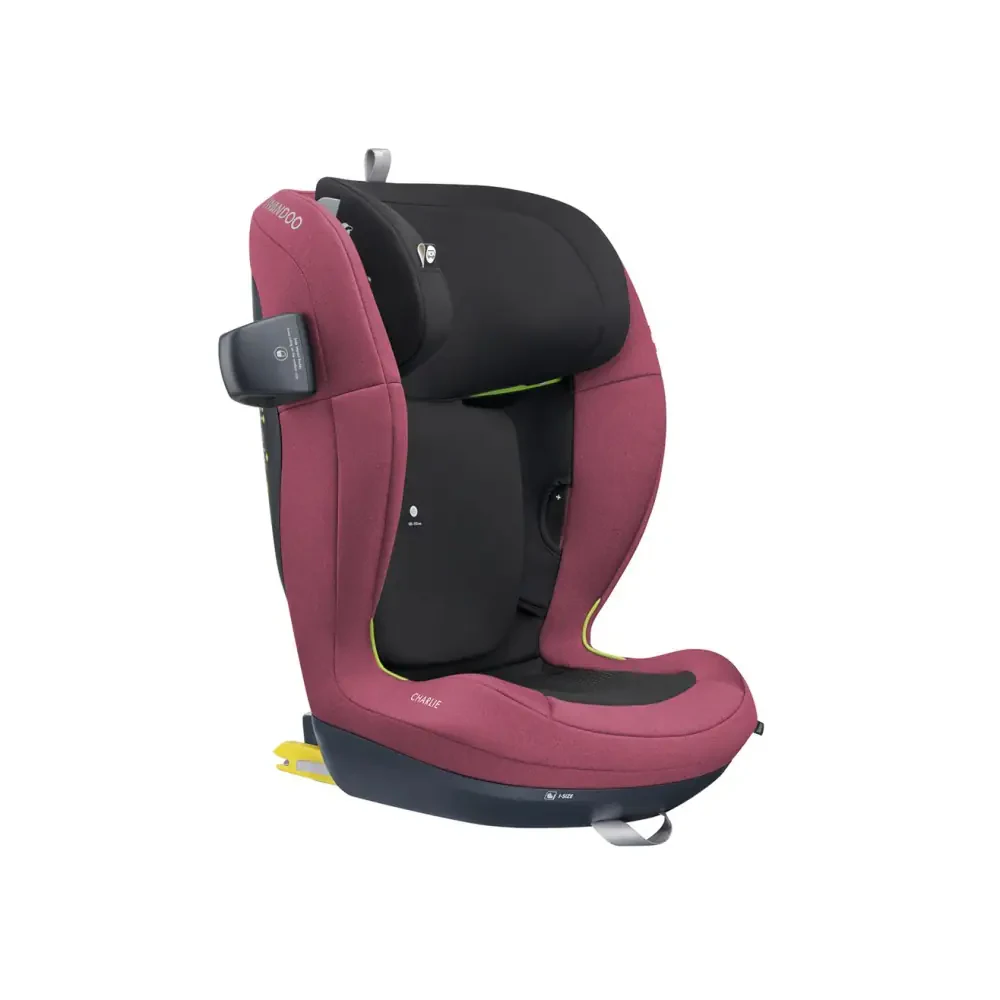
No photo was never photographed.
Six things that go on a product page.
Each module runs from the same brand-authorised twin in ARkid Catalogue, so nothing is rebuilt per channel.
- 01
PDP 3D viewer
Inline with the pack shots, or as a dedicated “View in 3D” module near the buy button. Lazy-loaded, so there is no page-load penalty.
Shop systems and adapters - 02
“View in your room” AR
Apple Quick Look on iOS, Scene Viewer on Android, WebXR where supported. No app to install. Real scale, against the actual doorframe, cot or car interior.
- 03
Live variant configurator
Colour and fabric swatches update the viewer live. Where the shop maps variants to SKUs, “Add to cart” adds exactly the configuration the consumer saw.
- 04
360° turntable fallback
For marketplaces and channels that block interactive embeds: a turntable video and lifestyle stills from the same twin, with no second production.
- 05
Landing-page hero configurator
For launches and seasonal drops where the configurator is the hero, not a module further down: paid-media destinations, campaign micro-sites, DTC launch pages.
- 06
Hotspot explainers
Tappable points on the model explain the ISOFIX base, recline, folding mechanism and harness. Safety-critical features read better than in still images.
Concrete channels, concrete answers.
Four illustrative set-ups that cover most of the decisions brands and retailers make online. If yours isn’t among them, tell us about it.
- Scenario A
The brand’s own product page
Brand DTC · PDP. A premium stroller brand replaces its pack-shot carousel with a live 3D configurator on every product page: the viewer inline with the gallery and linked to the variants, AR one tap away on mobile, hotspots on the ISOFIX base, recline and fold.
Result: higher dwell time, and fewer “I didn’t know it would be this size” returns. - Scenario B
Retailer PDPs across the assortment
Multi-brand retailer · 40+ brands. A specialty retailer embeds the same viewer across every brand it carries, without a separate integration per brand. One embed component in the retailer’s colours, typography and CTA; assets authorised by each brand through Collection View; updates that propagate centrally when a brand ships a new variant.
The same retailer, in store
Result: one unified tech upgrade across the whole assortment, with no per-brand development cycles. - Scenario C
Product launch landing page
Launch campaign · landing page. A seasonal drop or a new product, with the configurator full-bleed above the fold. Paid social from Meta, TikTok and Pinterest lands on it, and retailer-specific “Buy at” buttons link back into the network.
Result: the launch page does the work the press release used to do, and the buy flow is one tap away. - Scenario D
Marketplace listings
Marketplaces · Amazon, Zalando, Otto. Each marketplace has its own policy on embedded media, so the Catalogue generates the right format from one source: GLB for Amazon’s AR viewer, image and video sequences for the Zalando and Otto galleries, deep-link QR codes in companion marketing for the AR view.
Result: interactive where it is allowed, high-quality stills and video where it is not, and never a separate production.
The majority of baby-gear research happens on a phone.
Often in fragments: a few minutes on the bus, in the bath, during a feeding break. The viewer is built mobile-first for exactly that.
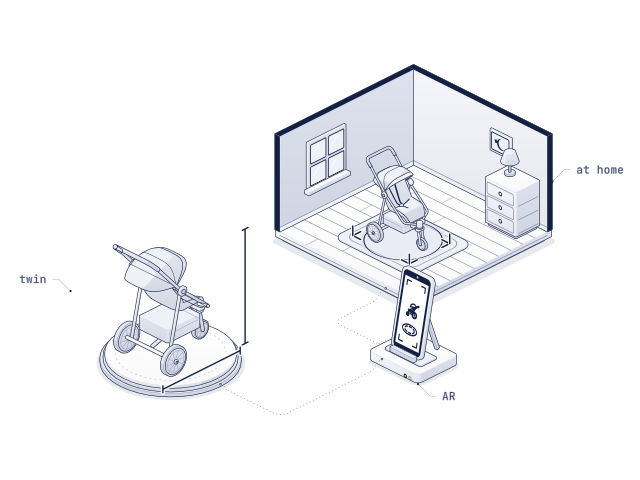
Real scale, next to the actual cot.
The stroller is the size it will be when it is delivered. Customers place it next to the doorframe, the car or the furniture they already have, which removes the uncertainty that drives returns.
- Fast first load: Models optimised for mobile bandwidth.
- Native touch controls: Touch rotation and pinch zoom, as on any smartphone.
- AR one tap away: A single tap, not buried in a menu.
- Portrait and landscape: Both orientations supported.
The outcomes brands and retailers actually measure.
Our own A/B results first. Where we have no data of our own yet, the industry figure, marked as such.
- More sales
- +17%
- Products people understand before delivery are products they buy
- Longer on the product page
- +35 s
- When shoppers rotate, configure and place the product in their room
- Higher add-to-cart ratio
- +38%
- Fewer open questions between the product page and the basket
ARkid data: product pages with interactive 3D & AR compared with static pack shots only, from A/B tests with brands and retailers and ARkid’s internal statistics. Time: average extra seconds when shoppers use the viewer.
- 01
Dwell time on the PDP
People spend time with the product. Interaction duration is captured per product, per retailer and per market.
- 02
Fewer returns
Up to ~22% fewer returns are documented in comparable furniture and homeware categories, driven by better pre-purchase understanding. The figure varies by product, category and baseline; in baby gear the effect is strongest where colour, size or the folded form cause the surprise.
- 03
Per-variant, per-market insight
Which colourway, which configuration, which market. Configurator interactions feed back into merchandising, measured instead of anecdotal.
- 04
Content ROI across the pipeline
One twin produces the PDP embed, the AR viewer, 360° video, pack shots, lifestyle stills, social cuts and training material. Spreading one production cost across 6–8 asset types is the real financial argument.
Signed off once. Current everywhere.
From decision to live, without a project.
Tell us your shop system, your key products and your biggest PDP. We’ll size the embed to match.